
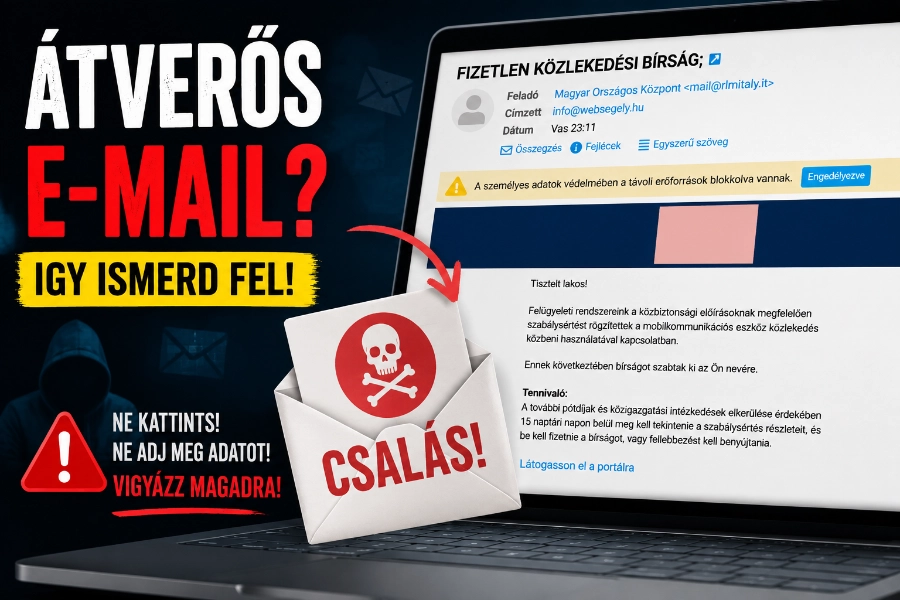
Scam email Unfortunately, they can end up in almost anyone’s inbox. Although email systems are becoming increasingly effective at filtering out phishing messages, a huge number of fraudulent emails still make their way into our inboxes. We recently received one such message ourselves, so we’ve decided to show you the tell-tale signs that can help you spot online scams in a matter of seconds.
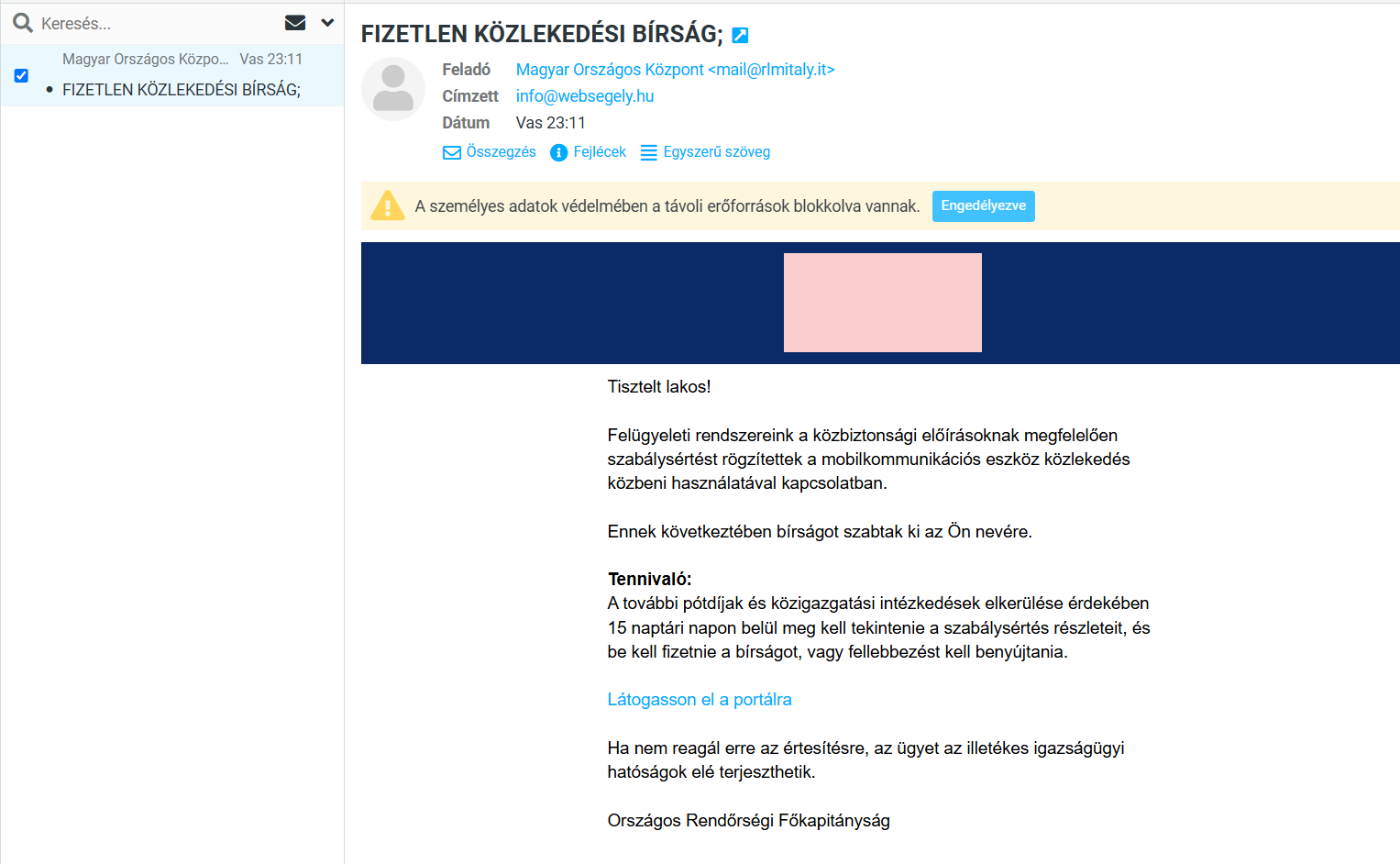
At first glance, it looks quite official.
The police, traffic fines, a serious tone, a pressing deadline… This is exactly what online scammers are banking on.
Let’s go through it point by point to see why this email is suspicious.
1. Always check who sent the scam email
This is one of the most important things!
At first glance, the sender of the letter tries to appear official: Hungarian National Centre
But if we look at the email address behind it:
- mail@rlmitaly.it
…then you can tell straight away that something’s very much wrong. The .it means that it is an Italian domain.
But what’s an Italian doing here? .it Is there a domain behind an alleged Hungarian police notice? Of course not. I mean, they’re trying to rip us off!
An official Hungarian body typically .gov.hu or sends an email from another official government domain. But the .hu extension is usually included, as it proves that the email is coming from a Hungarian domain.
That alone is reason enough not to click on anything.
2. Phishing emails prey on people’s fears
They’re trying to scare us straight away!
Let’s take a look at the text:
- we committed an offence
- we were fined
- We have 15 days to make the payment
- If we do not pay, administrative proceedings will be initiated
This is a classic example of psychological pressure.
Scammers want us not to think, but to click straight away.
3. A scam email does not address you by name
That’s far too general a form of address!
The letter begins as follows: Dear resident,
If they had actually imposed a fine on us, then they would know full well that:
- our name,
- our address,
- the case number.
They don’t address me as „lakos”. Incidentally, „lakos” is written in lower case, even though in a formal address both the salutation and the name (Dear Lakos!) are usually written with a capital letter! And let’s face it, it’s not exactly a typically Hungarian form of address!
4. Important details are missing from the scam email
There are no specific figures whatsoever!
For example, it lacks:
- registration number
- venue
- date
- case reference number
- amount of the fine
A genuine official notification always contains specific details.
5. A scam email always tries to trick you into clicking on a link
The writer of the email has just one aim: to get us to click!
There is a link in the middle of the email: Visit the website
Never click on it!
Very often, it takes you to a fake website where:
- they ask for bank card details,
- they are trying to obtain personal data,
- or install malware on our computer.
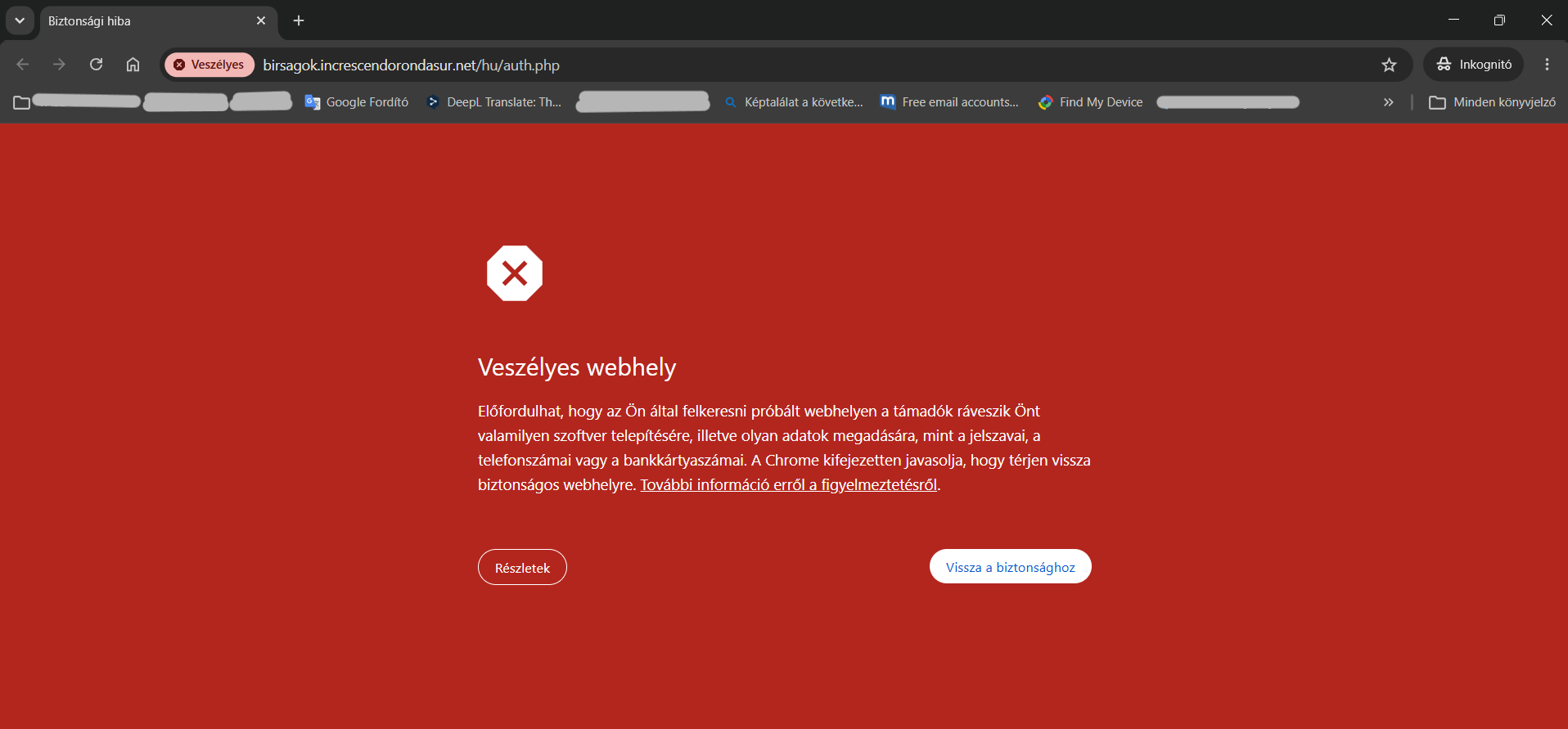
And what about the link below the text „Visit the portal”? Here it is:

We can check this by moving the mouse we just drag it onto the text (but don’t click on it!) and the legible link will appear in the bottom left-hand corner of the screen. In this case, it’s already clear that it has nothing to do with the police or any fines.
I just clicked on the link in incognito mode and, lo and behold, thanks to my computer and browser, it immediately flagged it as a threat.
6. The spam folder doesn’t make mistakes by accident either
Fortunately, in our case, this email was automatically sent to the Spam folder.
However, this does not mean that every such letter will end up there.
Spam filters are very good, but they aren’t infallible. This one passed the test with flying colours!
That’s why it’s always worth taking a few seconds to check:
- who sent it,
- what address it came from,
- what does he want to achieve,
- and whether what he writes is actually logical.
7. What should we do if we receive a letter like this?
- Do not click on the links contained within it.
- Do not download the attachment, if there is one.
- Never give out your personal or banking details.
- Let’s mark it as spam or a phishing email.
- Let’s delete the email permanently.
If you are unsure, it is best to contact the relevant office or service provider directly via their official its website and check the information there. Alternatively, we can consult an expert who understands these emails and can assess whether it is actually a fraudster trying to rip us off, or whether we have genuinely received an official message.
Summary
Online scams are becoming increasingly sophisticated year on year. It is no longer the old-fashioned emails written in poor Hungarian that are circulating, but often quite convincing emails that appear to be official.
The good news, however, is that most scams can be easily spotted by carrying out a few simple checks.
If there’s just one thing to take away from this article, let it be this: always check the sender’s real email address before opening anything or clicking on a link.
In many cases, this one small detail is enough to keep us out of trouble!
In this article, we looked at how to spot a scam email at first glance. Often, however, the real clues are not to be found in the content of the email, but in the in the header are hiding.
In the next section, we’ll show you how to view an email’s header and take a step-by-step look at what information it reveals about the sender. We’ll learn how to find out where the email actually came from, what an IP address means, what SPF and DKIM are used for, and what signs indicate that an email is highly likely to have come from fraudsters.
If you’d like to navigate the world of online scams with greater confidence, it’s worth reading the following article, entitled:
Analysing email subject lines – what does the sender really reveal?
Here, we’ll show you step by step how to open an email’s header and how to extract the information from it – information which often provides clear evidence that you’re dealing with a scam email.
 EN
EN  HU
HU