
The in the previous article We looked at how to spot suspicious emails at first glance. In this article, the Analysis of email headers will be the focus: we’ll show you how to open them and what information can help you spot suspicious emails.
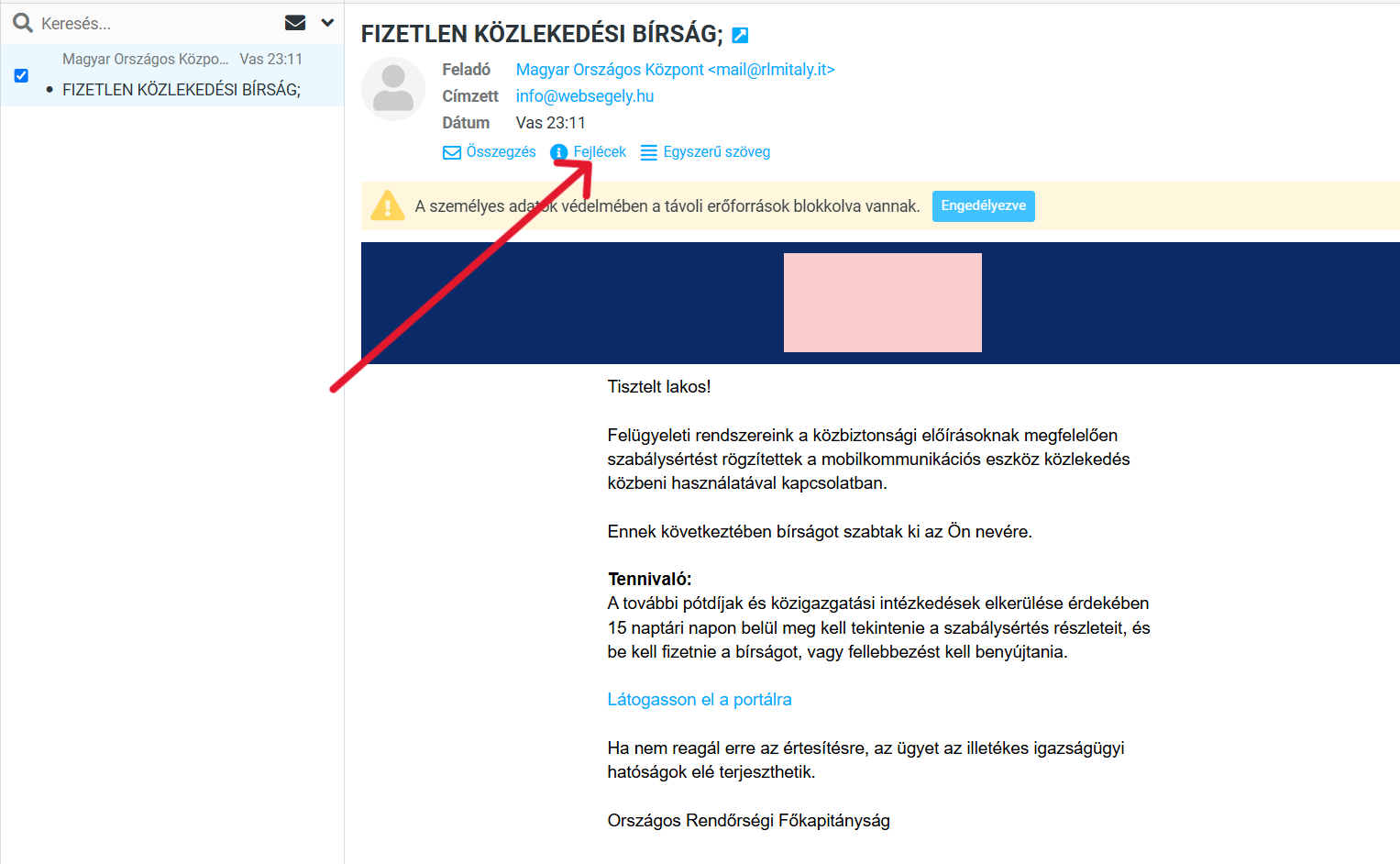
We’ll show you how to open them, which details are worth checking, and what they might reveal about the sender’s true identity. You don’t need to be an IT expert – with a few simple checks, anyone can more easily filter out suspicious emails. Analysing the email header will help you do this.
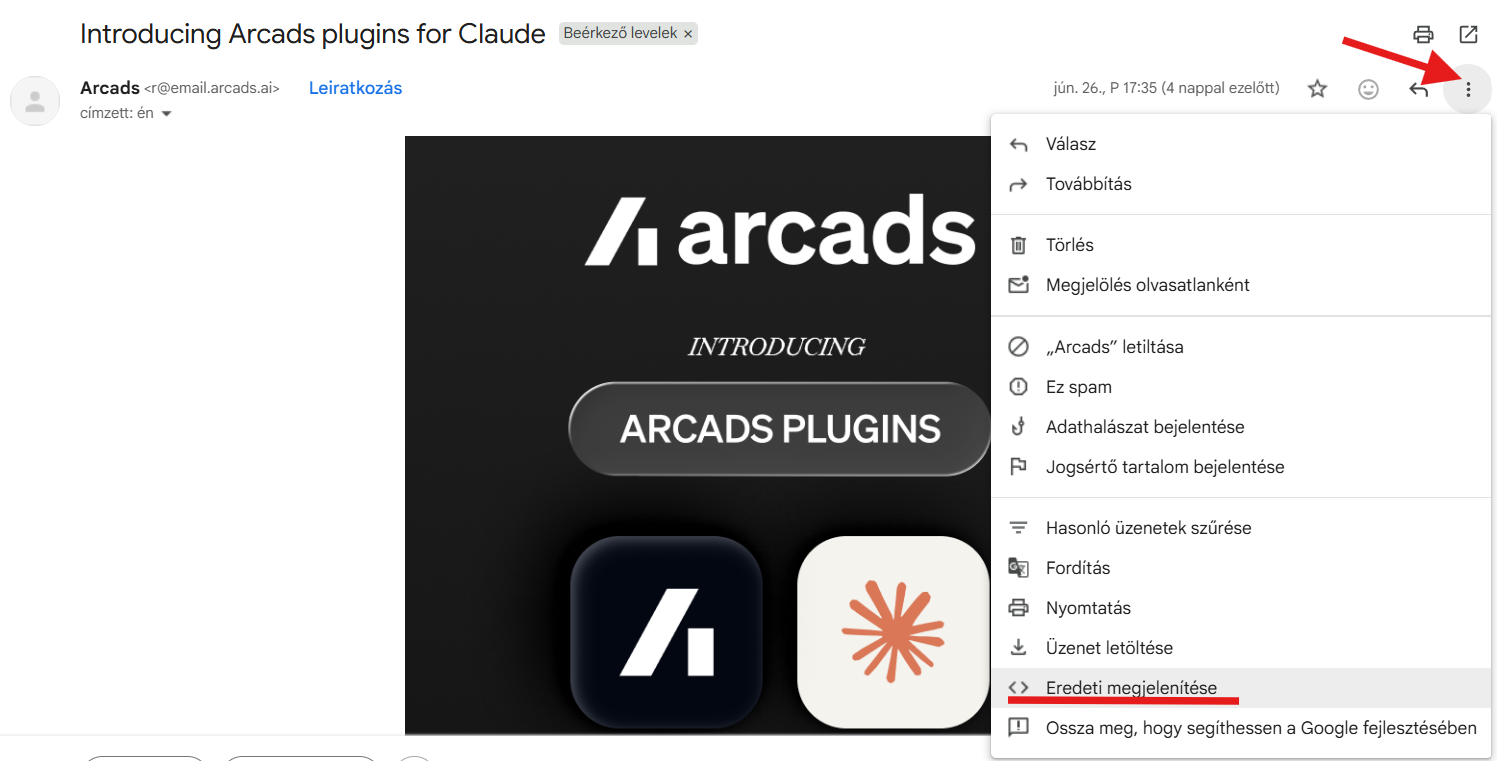
Most people have a Gmail account and use the Gmail inbox. There, once you’ve clicked on the message itself, you need to click on the three dots at the end of the subject line of the opened message and, in the drop-down menu, select the option labelled „View original”. This will open the ‘Header’ section in a separate window, where you’ll find the same lines as those shown below.
Many people might think that „Right, I’ve opened the email header. What should I look at now?” – Right then, let’s see what we need to look for and what we need to check!
1. Analysis of email headers – Return-Path
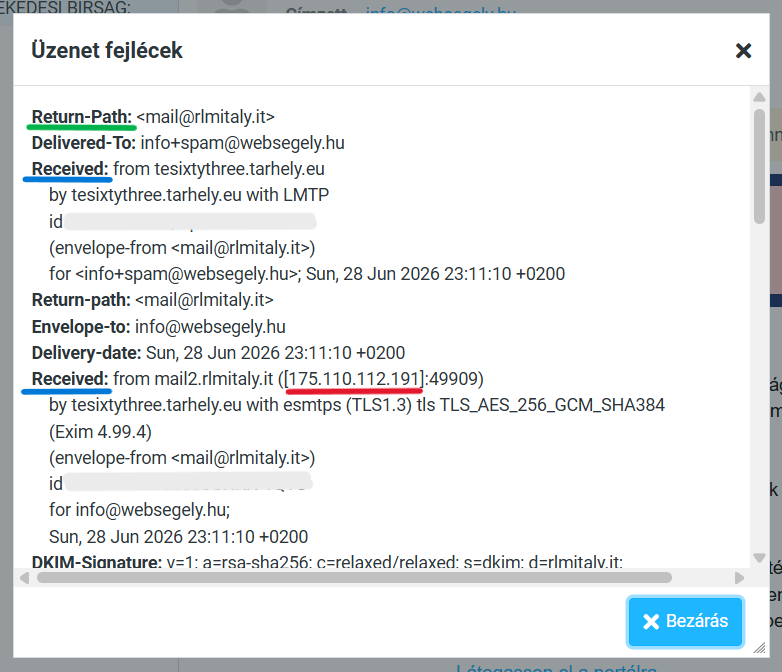
Look for the „Return-Path” line, which is underlined in green. This shows where the email would be returned to if it could not be delivered. In many cases, it matches the sender’s email address, but the email may still be fake, as can be seen in this instance. It is worth checking whether the domain listed in the Return-Path actually belongs to the organisation that the sender claims to represent. In this instance, it is the Hungarian National Centre.
The story falls flat right there: if you type „Magyar Országos Központ” into Google, interestingly enough, it’ll bring up all sorts of similar results – just not this one. Because there’s no such thing! And if we look at this email address letter by letter – „mail@rlmItaly.it„, the word „italy” appears, along with .it. Well, that’s all there is to it – it’s not an official Hungarian body.”.
2. Analysing email headers: what does the ‘Received’ line show?
Look for the line marked „Received”, which is underlined in blue. The second line underlined in blue will be the one that is most important to us.
Why is it interesting?
Because this shows that:
- which servers it passed through
- where it started
If it claims to be a Hungarian government agency… but the server is located halfway around the world… that’s already suspicious. And this is closely linked to point 3: the IP address.
3. Checking the IP address in the email header
We have underlined this in red to make it clearly visible. In our example, this IP address – 175.110.112.191 – points to the Netherlands.
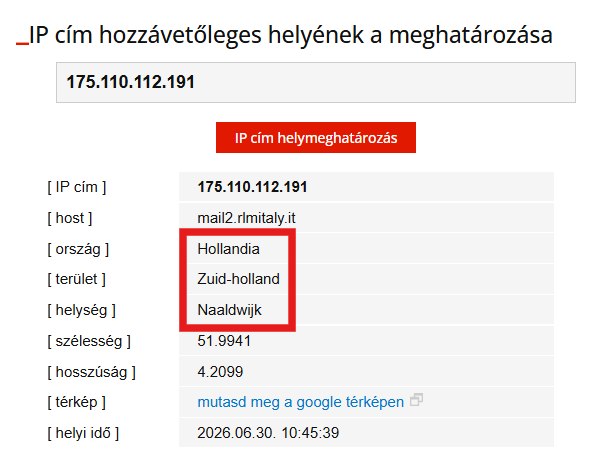
This IP address locator You can find it on the website.
The IP address shows which server the email came from. This can be a useful clue, but on its own it does not prove where the email was sent from. Fraudsters often use VPNs, rented servers or compromised computers, so the IP address often does not reveal their true location.
When can it actually be useful?
If an email purports to be from a Hungarian government agency but the IP address belongs to a foreign service provider, this may be another cause for suspicion. However, this in itself is not proof. That is why we need to examine all the signs as a whole.
Let’s not make a decision based on just one field! It is rare for a suspicious email to contain just a single mistake. Instead, it is usually a combination of several small warning signs that indicate the email is not trustworthy.
4. Checking the domain name in the email header
And the final important point – and tell-tale sign – is if we come across a domain name that has absolutely, positively nothing to do with the Hungarian authorities. We can find this in the last section of the Header window. Let’s take a look!
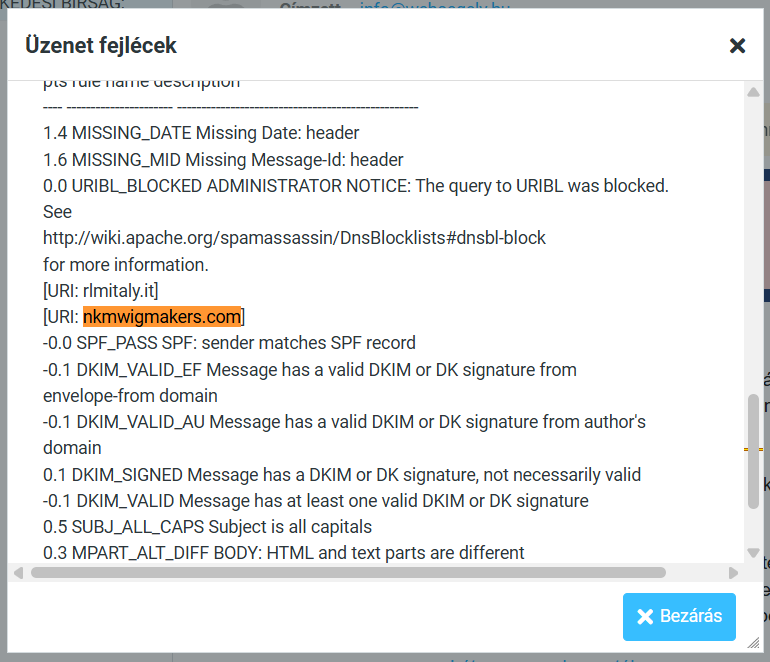
The email header also contains a great deal of other technical data (such as SPF, DKIM or DMARC checks), which can give an IT specialist an even more accurate picture of the email’s authenticity. However, these are advanced topics, so we will not go into detail about them in this article. Our aim here is to ensure that anyone can recognise the most important warning signs.
Summary
Check this whenever you receive a suspicious email!
- The sender’s real email address,
- The domain name,
- Is there a sense of urgency in it,
- Does it contain any spelling mistakes?.
- Does the link lead to the official website, if there is one?.
- Are there any phrases in it that are ungrammatical in Hungarian?.
At first glance, these may seem complicated, but you don’t need to understand every line. Simply by checking a few basic details, it becomes much easier to spot suspicious emails and avoid falling victim to fraudsters.
And if several small signs give cause for concern, the best decision is always the same: Do not click on any links, do not open any attachments, and simply delete the email.
 EN
EN  HU
HU